[ VS CODE REMOTE-SSH Compared ]
A VS Code Remote-SSH alternative
in the app you connect with.
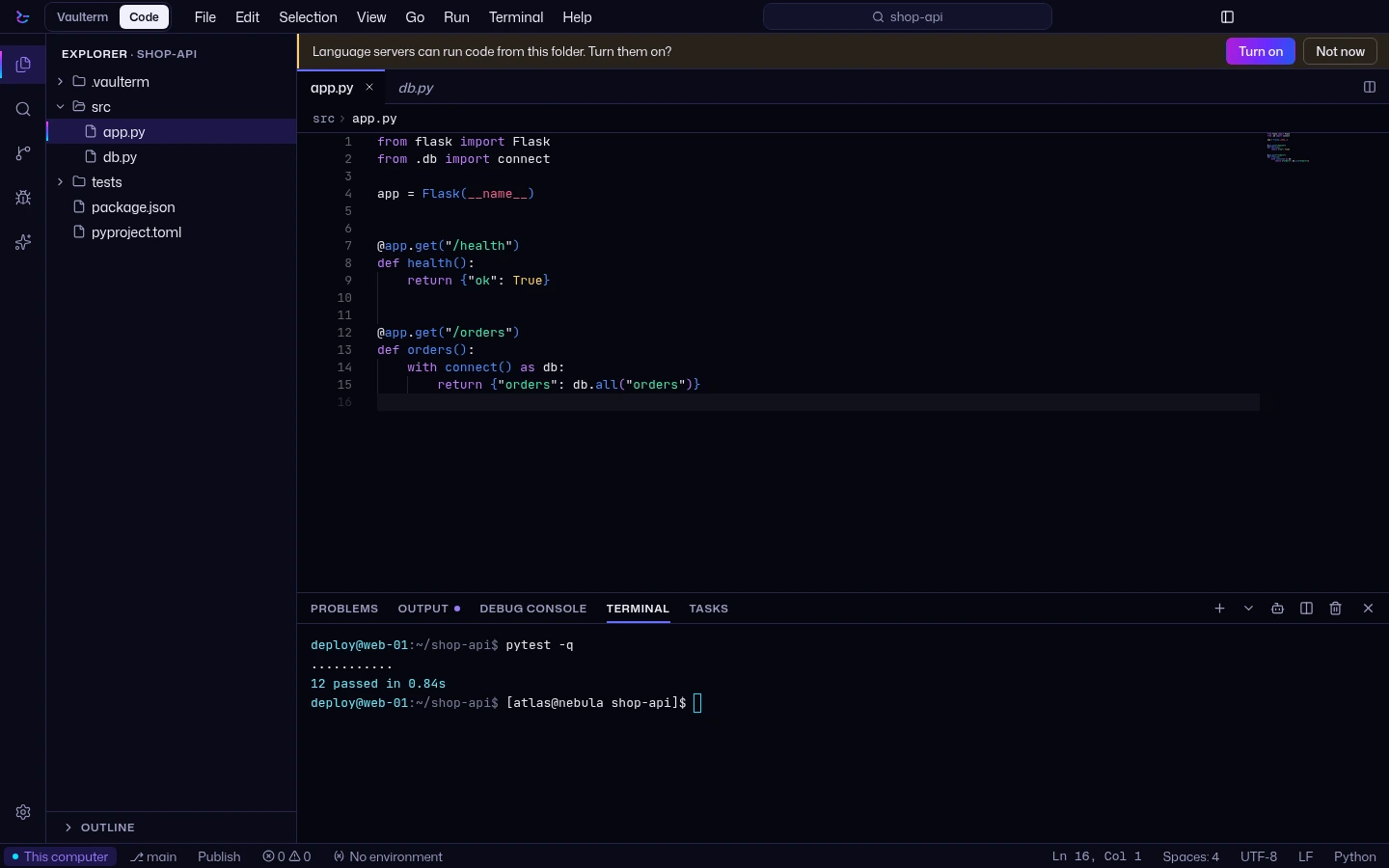
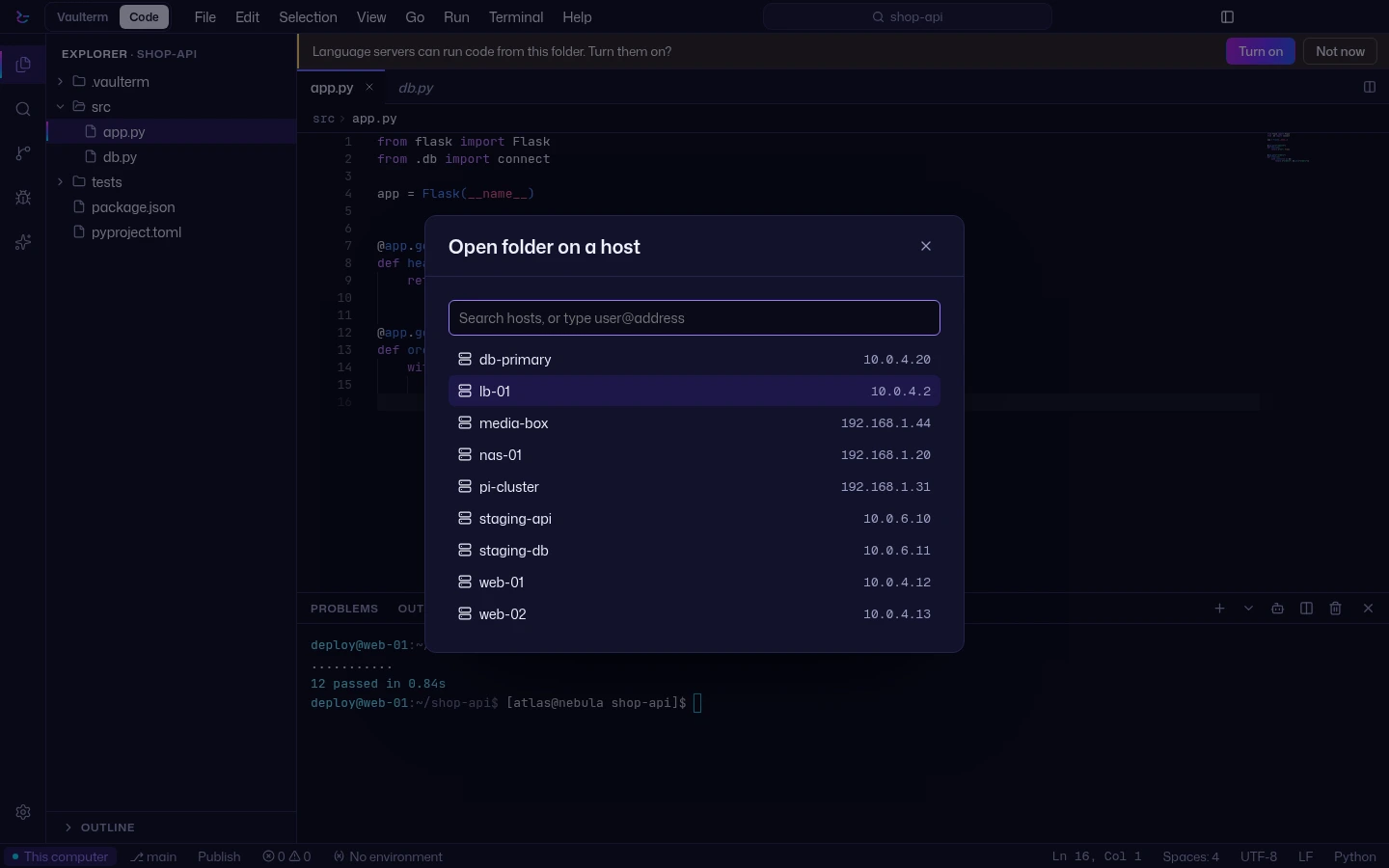
VS Code Remote-SSH installs VS Code Server on your host. Vaulterm Code puts no server of its own on the host: it edits over the SSH connection Vaulterm already has, with your hosts, keys and passwords in an encrypted vault.
Checked 2026-10-25. Sources are listed below.
| Feature | Vaulterm Code | VS Code Remote-SSH |
|---|---|---|
| What you install on your computer | Vaulterm. Vaulterm Code opens in its own window from the same install | VS Code, the Remote-SSH extension and an OpenSSH-compatible client |
| On the server | No Vaulterm server; tools you choose are installed only when you ask | VS Code Server is installed automatically |
| Language servers and debuggers | Run on the host. If one is missing, Vaulterm offers to install it, and asks first (Pro) | Most extensions run on the host |
| Host needs | An SSH server, and the tools you choose to run there | 1 GB of RAM (2 GB and 2 cores recommended). On Linux: bash, tar, curl or wget, kernel 3.10+, glibc 2.17+ |
| Saved logins | Hosts, keys and passwords in an encrypted vault, hostnames included | Passwords for alternate authentication are not saved; keys are recommended |
| PuTTY and Alpine hosts | Uses its own SSH client, so no OpenSSH or PuTTY is needed on your computer | PuTTY and Alpine (non-glibc) Linux are not supported |
| Extensions | Themes, icon themes, grammars and snippets from Open VSX (beta). No extension code runs | The full extension ecosystem; most run on the host |
| AI | Claude with your own Anthropic API key (beta, Pro) | Copilot, which has a Free tier (monthly allowance) |
What is on the server
Vaulterm Code puts no server of its own on the host. Language servers, debug adapters and Claude Code run on the host; if one is missing, Vaulterm offers to install it, and asks first. Language servers and debugging are in Pro.
VS Code Remote-SSH installs VS Code Server on the host automatically. Its docs list 1 GB of RAM as required (2 GB and 2 cores recommended), and on Linux bash, tar, curl or wget, kernel 3.10 or later and glibc 2.17 or later. The install needs outbound HTTPS from the host, with a local-download fallback. Its docs say Alpine and other non-glibc Linux, and PuTTY, are not supported.
Saved logins, extensions and AI
Vaulterm keeps hosts, keys and passwords in an encrypted vault, with hostnames encrypted too, and imports from ~/.ssh/config and PuTTY. VS Code's docs say passwords for alternate authentication are not saved, and recommend keys.
In the 0.2 beta, Vaulterm Code can install themes, icon themes, languages and snippets from Open VSX. It does not run extension code, and Microsoft's Marketplace is not used. VS Code runs most extensions on the host, and its extension ecosystem is far larger.
Claude in Vaulterm Code is in the Beta channel and needs Pro, your own Anthropic API key and your own Claude Code install. Anthropic's terms for your API key apply: see Anthropic's commercial terms. VS Code has Copilot, which has a Free tier.
Where VS Code is stronger
The extension ecosystem, mature language tooling, Copilot and dev containers. If you rely on those, keep VS Code.
A Cursor SSH alternative
Cursor uses an SSH extension based on VS Code's Remote-SSH approach, according to Harvard FAS Research Computing's documentation.
Vaulterm Code works differently: it puts no server of its own on the host, and it edits over the SSH connection of Vaulterm's built-in SSH client, with your hosts, keys and passwords in the encrypted vault. Claude in Vaulterm Code (beta, Pro) uses your own Anthropic API key. See Vaulterm Code and Claude in Vaulterm Code.
A JetBrains Gateway alternative
JetBrains describes Gateway as a lightweight launcher that connects a remote server with your local machine. It downloads backend IDE components onto the remote server and opens the project in a local JetBrains Client. Vaulterm Code works differently: it puts no server of its own on the host.
Zed over SSH
Zed's docs describe a headless Zed server on the remote, which must match your local Zed's version. Zed uses the system ssh and your ~/.ssh/config. Vaulterm Code uses Vaulterm's built-in SSH client and its vault instead.
Questions
Does Vaulterm Code put a server on my host?
Vaulterm Code puts no server of its own on the host. Language servers, debug adapters and Claude Code run on the host; if one is missing, Vaulterm offers to install it, and asks first. Language servers and debugging are in Pro.
Can I use VS Code extensions in Vaulterm Code?
Not in general. In the 0.2 beta you can install themes, icon themes, languages and snippets from Open VSX. Extensions that run code, such as debuggers and views, are not supported, and Microsoft's own extensions are mostly not on Open VSX. If you depend on extensions, VS Code is the stronger choice. More on extensions.
Is Vaulterm Code free?
Vaulterm Code on folders on your computer is free. Editing folders on a saved server, language servers, debugging and Claude (beta) are in Pro, which is $5 a month, $49 for 12 months or $349 once. Pricing.
Is there a Cursor SSH alternative?
Vaulterm Code is a different kind of tool: a remote editor inside an SSH client. It puts no server of its own on the host, uses Vaulterm's built-in SSH client and vault, and has Claude in beta (Pro) with your own Anthropic API key. Cursor is an editor in its own right; if you want its editor, keep it. About Vaulterm Code.
Does Vaulterm Code replace VS Code?
It is a way to edit on a server you already connect to with Vaulterm, in the same app. VS Code is stronger on extensions, mature language tooling, Copilot and dev containers.
How does Claude in Vaulterm Code work?
It is in the Beta channel and needs Pro, your own Anthropic API key (kept in the vault) and your own Claude Code install. On a server, Claude Code runs on the host and asks before it acts. API costs are yours, and Anthropic's terms for your API key apply. Claude in Vaulterm Code.
Sources
Checked 2026-10-25. Vendor pages carry no date of their own, so prices and features may have changed since.
- VS Code: Remote Development using SSH
code.visualstudio.com/docs/remote/ssh - Harvard FAS Research Computing: Cursor remote development via SSH and tunnel
docs.rc.fas.harvard.edu/kb/cursor-remote-development-via-ssh-and-tunnel - JetBrains: Remote development (IntelliJ IDEA help)
www.jetbrains.com/help/idea/remote-development-a.html - Zed: Remote development
zed.dev/docs/remote-development - VS Code: Set up Copilot
code.visualstudio.com/docs/copilot/setup
Visual Studio Code, Microsoft, GitHub Copilot, Cursor, JetBrains, Gateway, Zed and Claude are trademarks of their owners. Vaulterm is not affiliated with them.
Download VaultermVaulterm CodeClaude in CodeExtensions
Vaulterm Code is in the 0.2.0 beta where marked, and stable since Vaulterm 0.1.1 otherwise.