[ PRO Vaulterm Code · Environments ]
Secrets for your code,
kept in your vault.
Environments are named sets of variables in Vaulterm's encrypted vault, attached to a Code project. Think of a password manager for a project's config.
How Environments work
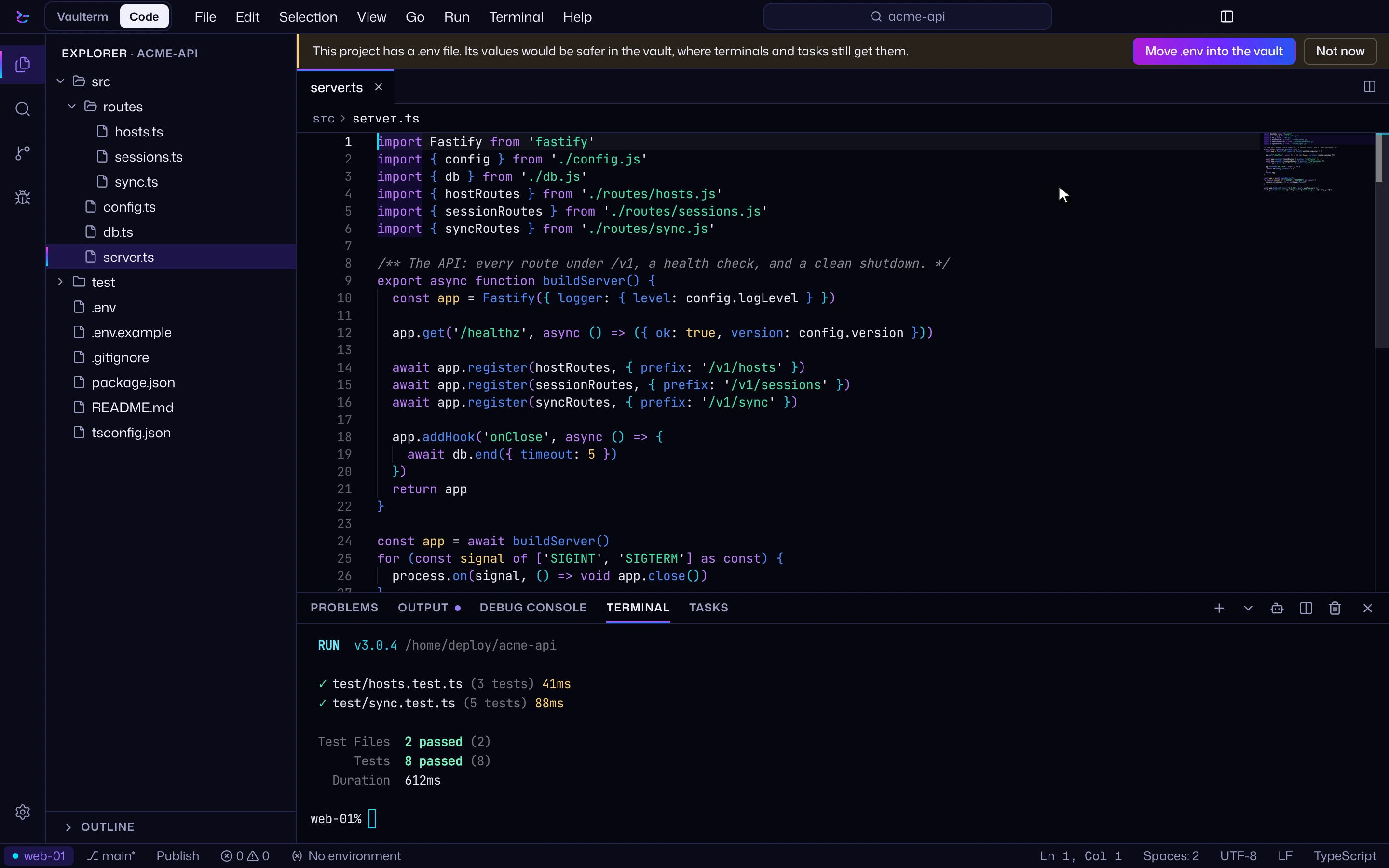
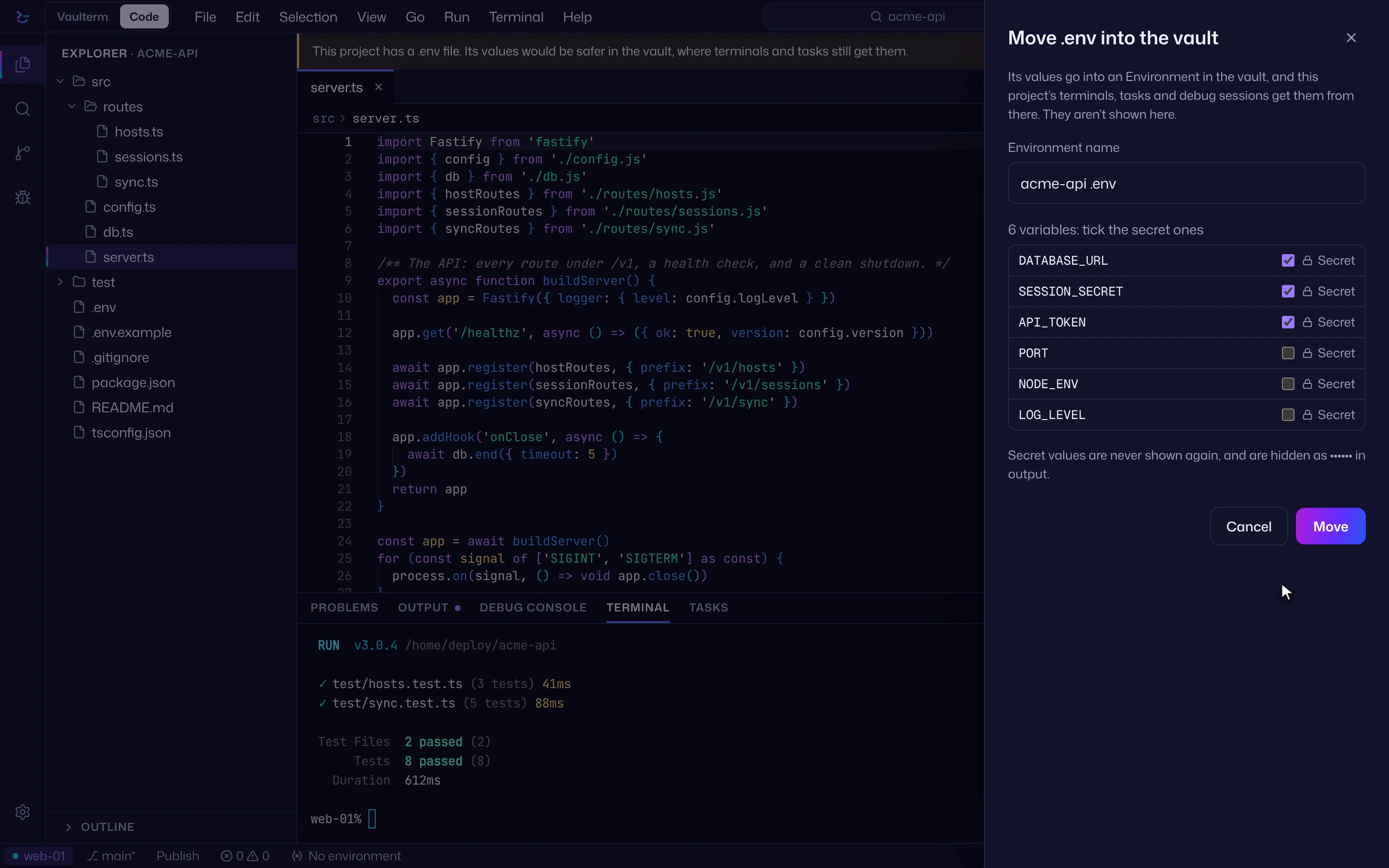
Move your .env into the vault
Vaulterm reads the project's .env and ticks the names that look secret; you change any it got wrong. Vaulterm then imports the file as an environment and offers to delete the file and add it to .gitignore.
Attach it to the project
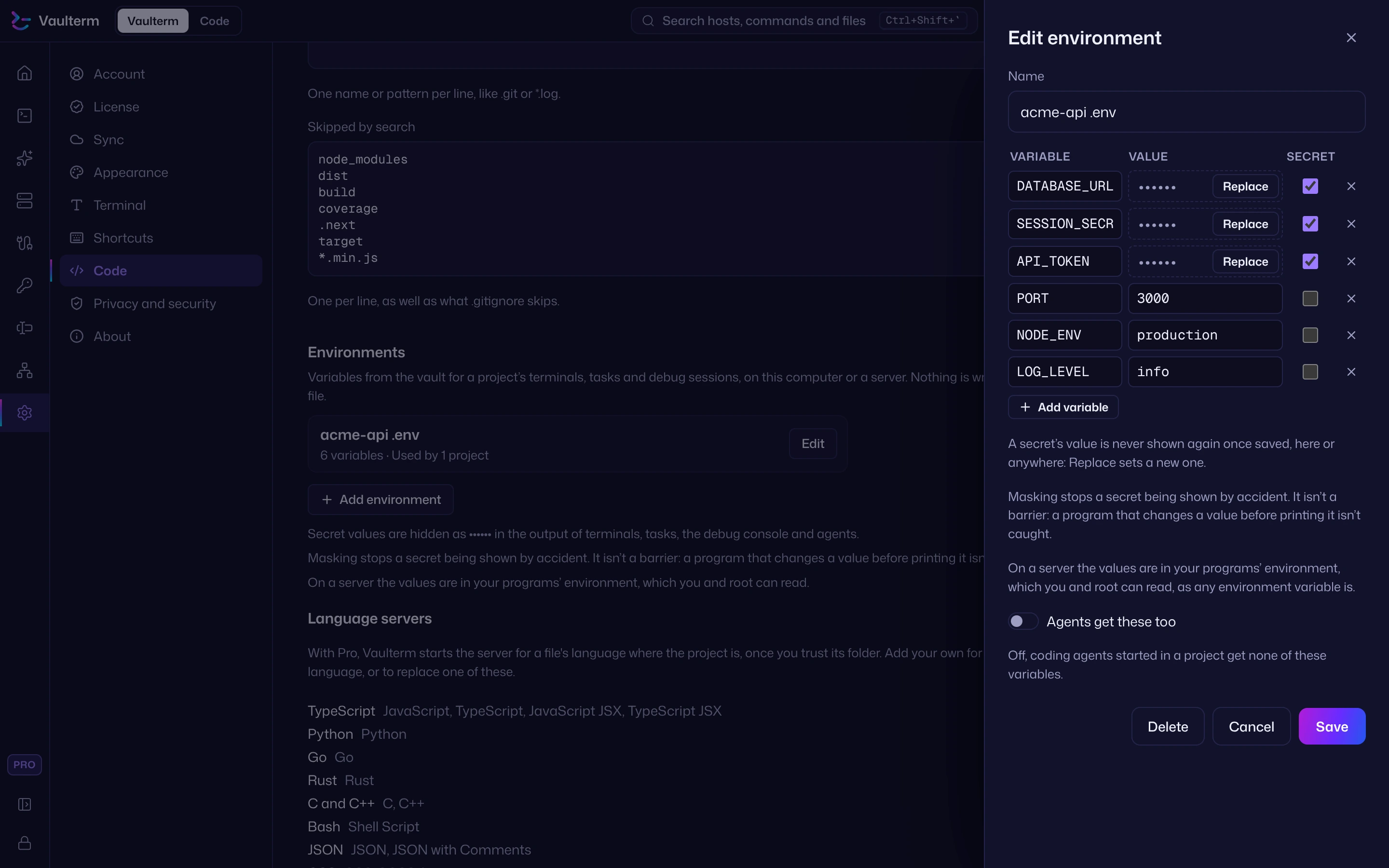
Moving a .env attaches it to that project. To add more, open Project environments from the status bar. A project can use several, in order: when two set the same variable, the later one wins.
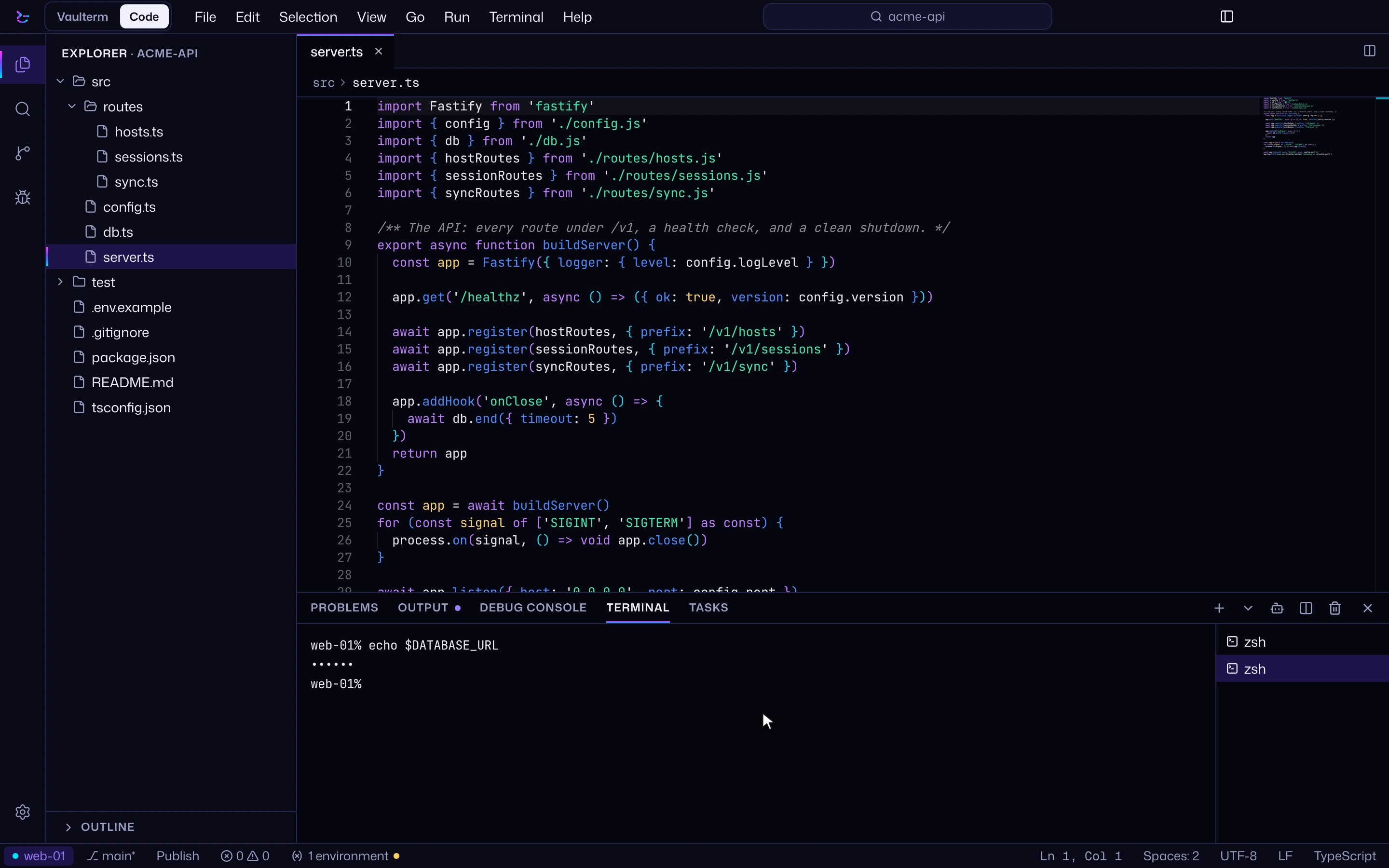
Terminals, tasks and the debugger get it
Your app reads the same variables as before. Secret values of 6 characters or more show as •••••• in Code's output.
A .env file compared with Environments
| Feature | A .env file on disk | Environments |
|---|---|---|
| On disk | A plain-text file in the project | No file. Values sit in the encrypted vault. |
| In git by mistake | If .gitignore misses it | No file to commit, and Source Control checks the commits you make there for secrets |
| In ps and shell history | When values are exported or passed on a command line | Never on a command line |
| In a screen share | If the file or an echo is on screen | Secret values of 6 characters or more show as •••••• in Code's output |
| On a server | Another file on the server's disk | Sent over the SSH connection, with no file on the server |
Running programs still hold the values in their environment, as with any .env. The gain is no file on disk, and nothing in a command line or your history.
The whole flow, in a clip
Where Environments run, and who gets them
Here or over SSH
Works on your servers too. On a saved server, the values travel over the SSH connection and a small wrapper exports them before your program starts. No file is written on the server. There they're in your programs' environment, which you and root can read, as any environment variable is.
Agents opt in
Agents get nothing by default. Turn on Agents get these too, per environment, when an agent needs them.
[ PRO ] Environments come with Pro
$49 for 12 months,
$5 a month or $349 for life.
If you use Sync, your environments sync with the rest of your vault, with their own switch in Settings → Sync.
Questions
Does my app need changes?
No. It reads the same variables it read from the .env, from its environment. A program that opens the .env file itself needs the file, so check before you delete it.
Is it a CI secret store?
No. Environments are for your project's terminals, tasks and debug sessions in Vaulterm Code, on this computer or a server.
What happens to my old .env?
After the move, Vaulterm offers to delete the file and add it to .gitignore. It asks before deleting, and both are your choice.
Is masking a security boundary?
No. Masking stops a secret being shown by accident. It isn't a barrier: a program that changes a value before printing it isn't caught.
Do environments sync?
Yes, if you use Sync. They sync with the rest of your vault, end-to-end encrypted, and have their own switch in Settings → Sync.
MCP servers in Claude in Vaulterm Code (beta, Pro) read their secrets from an Environment at send time. How Claude works in Vaulterm Code.
Vaulterm Code is part of Vaulterm. Open it with Code at the top left of the app.