
Everything in Termora, and what's next.
Most of what's below works today. Anything marked Coming is being built for the beta. The roadmap has the order.
Workspace
Tabs and split panes that stay out of the way until you need them.
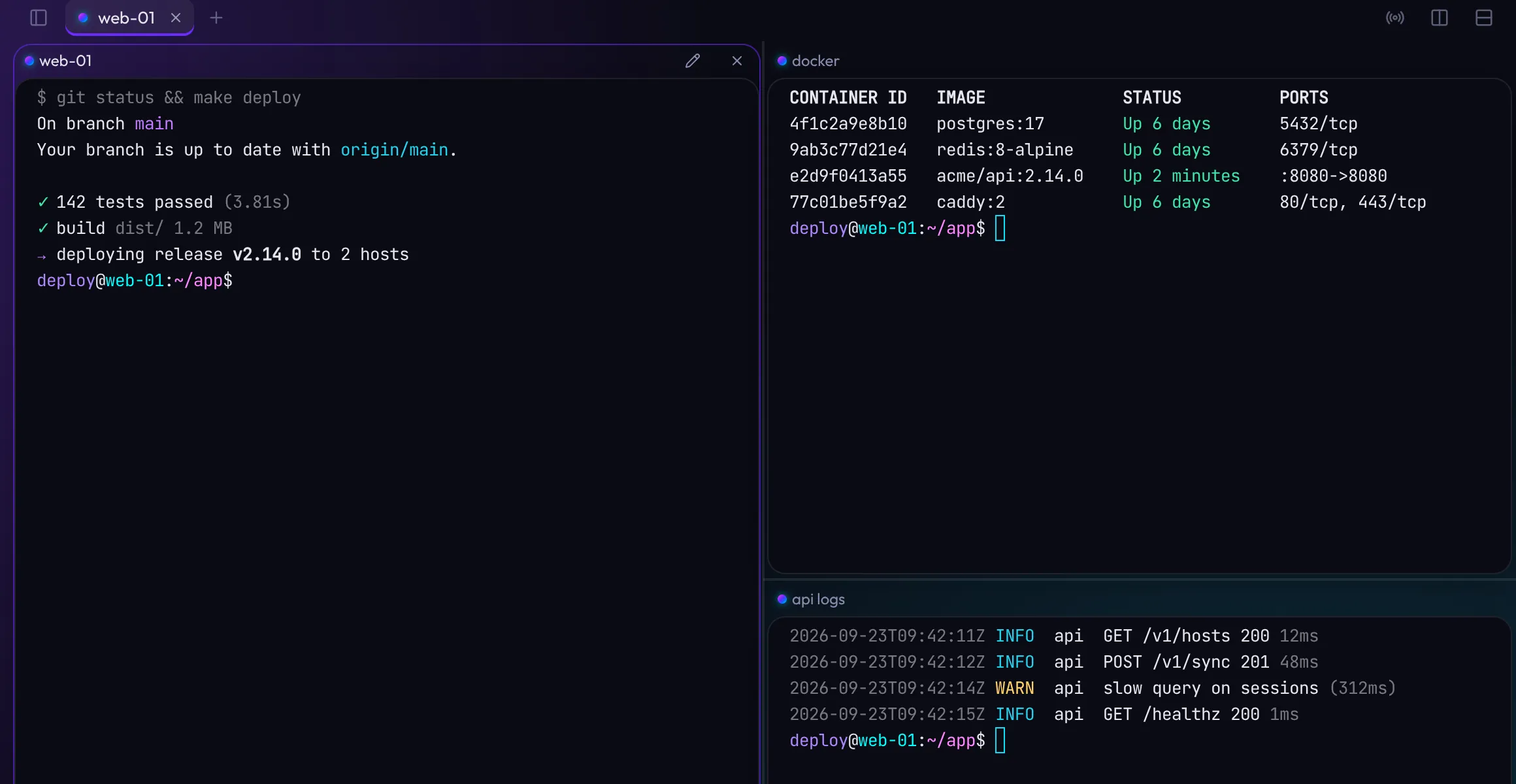
- Tabs and split panes
- Split right or down as often as you like, drag the dividers, and move focus between panes from the keyboard.
- Named panes
- Give each pane a name like "api logs" so a busy tab still makes sense at a glance. Rename or close panes one at a time.
- Broadcast input
- Type into every pane in a tab at once, for the moments when four servers need the same command.
- Find in output
- Search the scrollback with a live match count. Links are clickable with Ctrl or ⌘ held, so a stray click never opens a browser.
- Pick up where you left off
- Termora can restore your tabs and panes after a restart, then reconnect them.
- Host sidebar
- Filter your hosts and open one in a new tab or beside the pane you are in. Hide the sidebar when you want the room.
- Local shells
- Open your own shell alongside remote sessions: your default shell on macOS and Linux, PowerShell on Windows.
- Command CenterComing
- One shortcut to search and act on everything: hosts, sessions, keys, themes and settings. Type user@host to connect without saving first.
Hosts and connections
Organise hundreds of servers without repeating yourself.
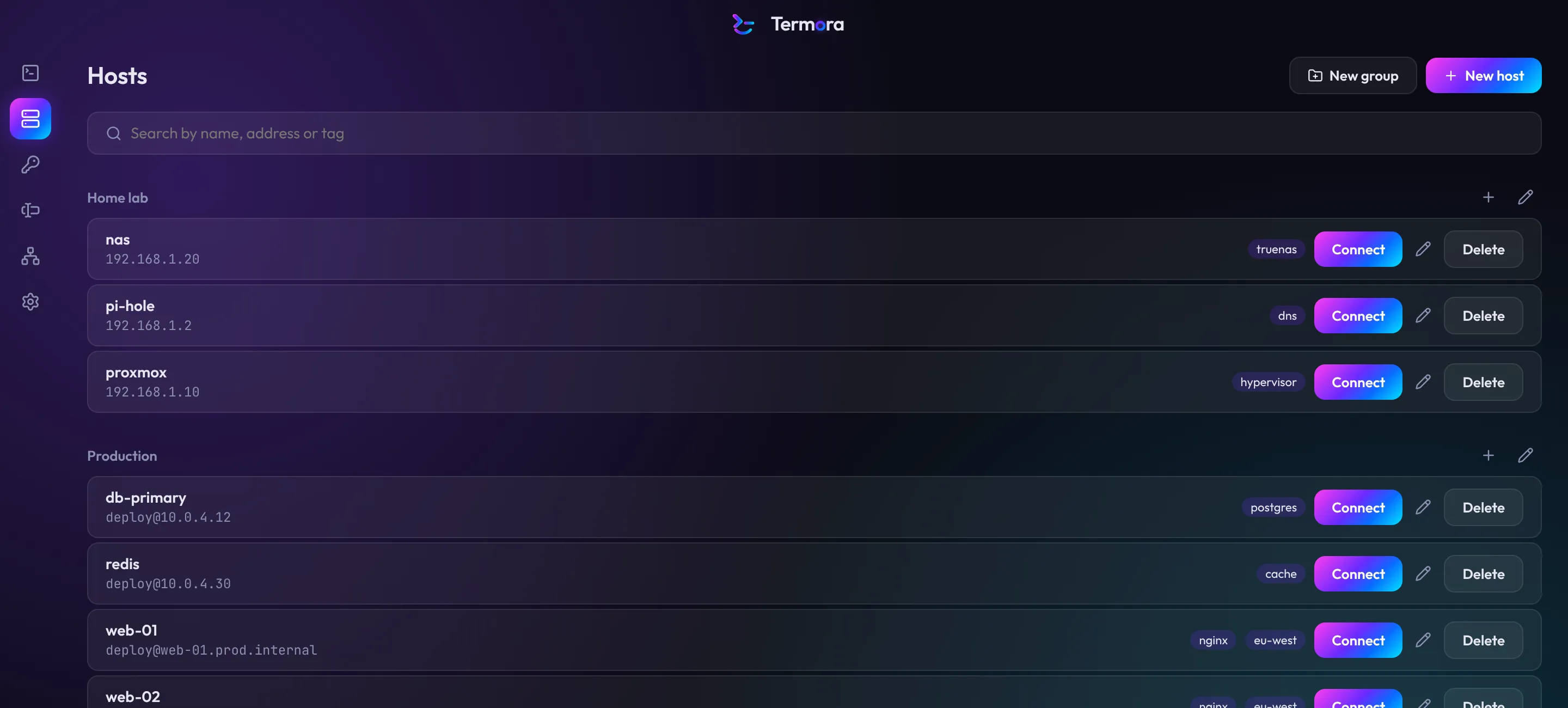
- Groups that pass settings down
- Identity, port, jump host, agent forwarding and terminal theme are set on a group and inherited by its hosts, through nested groups too. Any host can override any setting.
- Tags and search
- Tag hosts and find them by name, address or tag.
- Identities
- Save a username with a key or password once and reuse it across hosts. Passwords are write-only: you can replace one, never read it back.
- Every common way to sign in
- Keys, passwords, one-time codes and Duo-style prompts, and your system SSH agent.
- Jump hosts
- Reach private servers through one or more bastions, set once on a group.
- Reconnects on its own
- Keep-alives hold idle sessions open, and dropped connections come back with your scrollback intact.
- Host key checks
- Termora shows the fingerprint the first time you connect, and blocks the connection if it ever changes.
- Import what you already haveComing
- Bring in ~/.ssh/config, known_hosts, PuTTY sessions and Termius exports.
Keys and identities
Your private keys stay encrypted until the moment they are used.
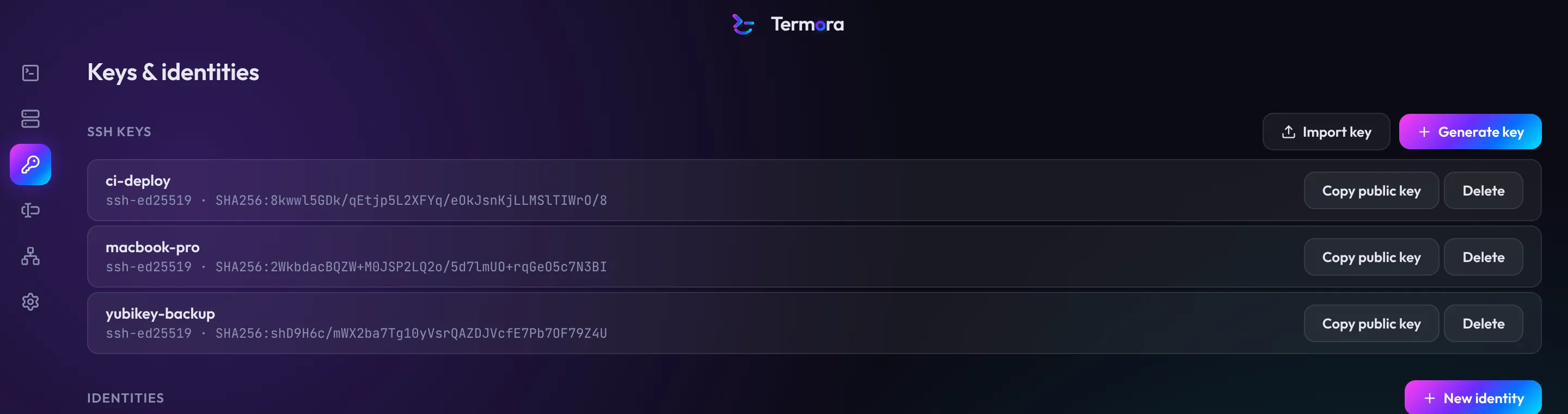
- Generate keys
- Ed25519 by default, plus ECDSA and RSA-4096.
- Import keys
- OpenSSH and PEM keys, with or without a passphrase.
- PuTTY keysComing
- Import .ppk files directly.
- Copy the public half
- One click puts the public key on your clipboard for authorized_keys.
- Hardware security keysComing
- FIDO2 keys such as YubiKey, with touch and PIN prompts, and PIV smart cards through PKCS#11.
- Built-in agentComing
- Forward keys to servers with an optional confirmation every time one is used.
Files, tunnels and snippets
The tools you reach for next to a session, in a panel beside it.
- SFTPComing
- Browse the server you're connected to, drag files in and out, and edit a remote file in your own editor with changes uploaded on save.
- Port forwardingComing
- Save local, remote and SOCKS tunnels per host, start them on connect and watch their traffic.
- SnippetsComing
- Saved commands with {{variables}} Termora asks for, run in one session or across several hosts.
Vault and unlocking
Everything you save is encrypted on your computer, and only you can open it.
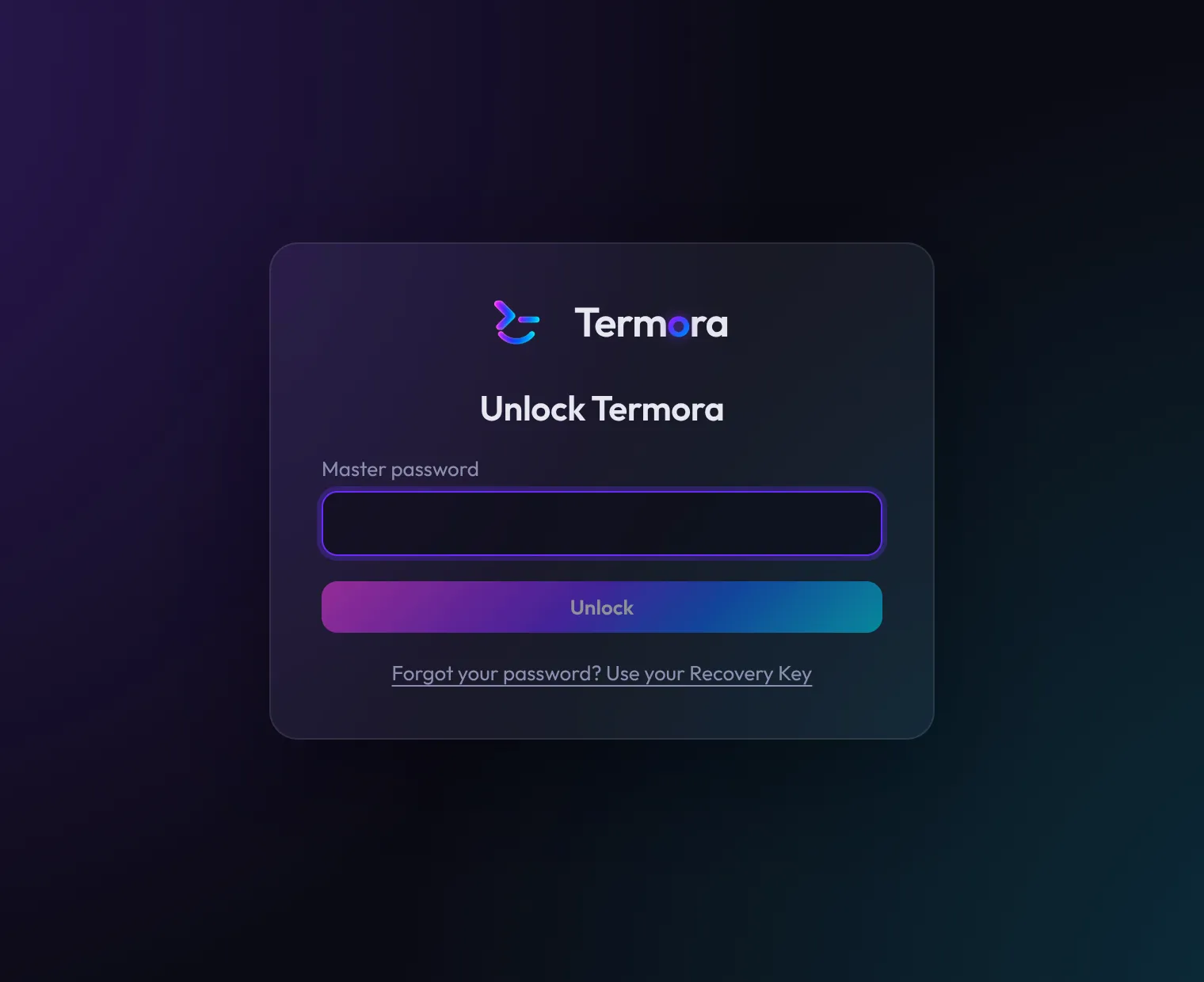
- Master password and Recovery Key
- Your password unlocks the vault. The Recovery Key, shown once when you set up, gets you back in if you forget it.
- Auto-lock
- After a set idle time, on sleep and when your screen locks.
- Touch ID and Windows HelloComing
- Unlock with a fingerprint or face, backed by the system keychain.
- Unlock with a security keyComing
- Use a FIDO2 key instead of your password or alongside it, on every platform including Linux.
Look and feel
Make it yours, down to how much of the glow shows through the terminal.
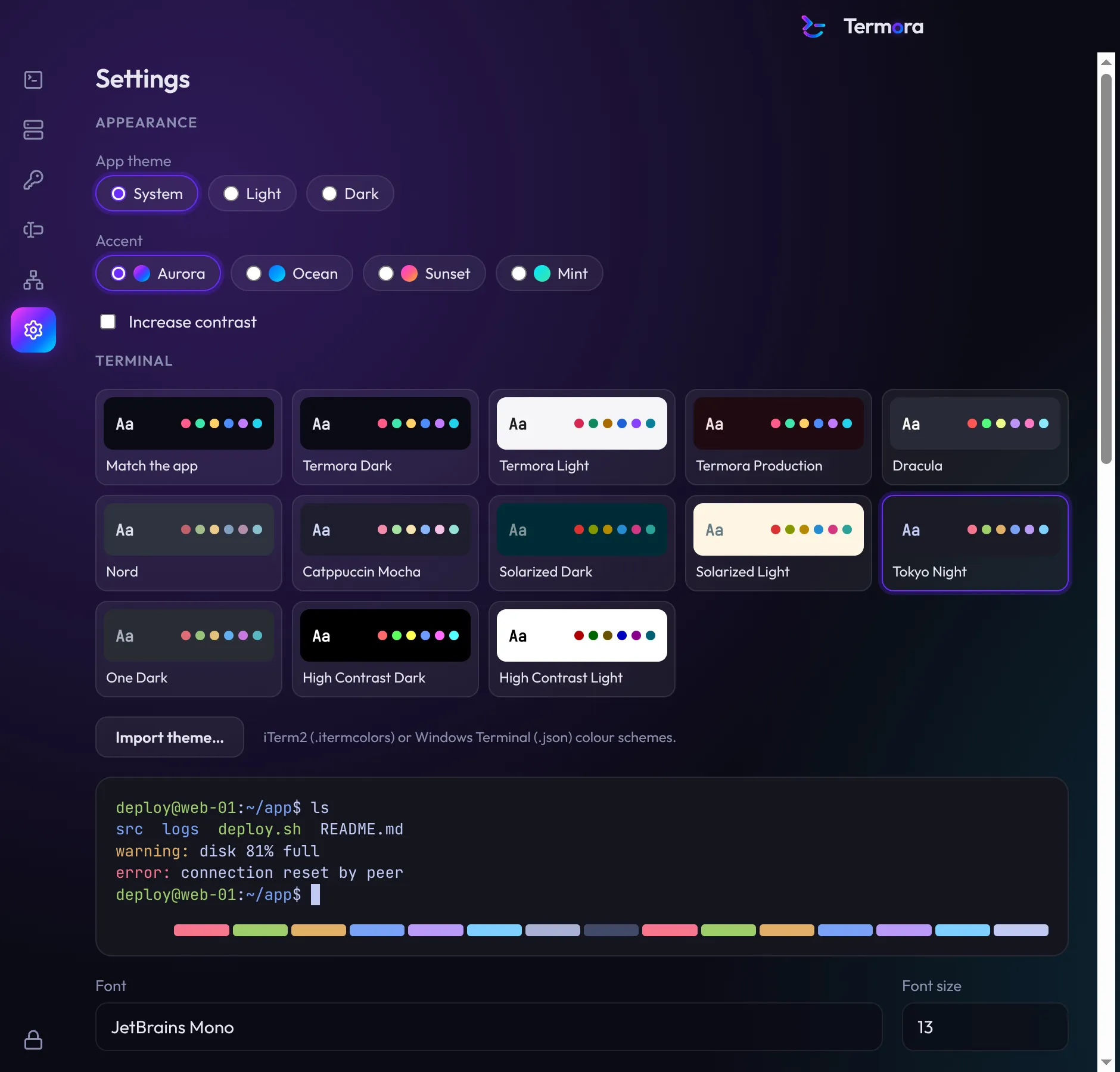
- Light, dark or system
- With four accents, Aurora, Ocean, Sunset and Mint, that colour the whole app from the background glow to the terminal cursor.
- Twelve terminal themes
- Termora Dark and Light, a red Production theme, Dracula, Nord, Catppuccin, Solarized, Tokyo Night, One Dark and two high-contrast themes.
- Bring your own
- Import iTerm2 and Windows Terminal colour schemes with a live preview.
- A theme per host or group
- Give production a red window so you always know where you are.
- Window shade
- Choose how opaque each terminal's glass is. Termora keeps text readable whatever you pick.
- Fonts
- JetBrains Mono by default, or any font you have installed, at any size.
- Shortcuts you can change
- Every shortcut can be remapped, and Termora warns you before you take a key your shell needs.
- High contrast
- A stronger contrast mode for the app, carried into every terminal window.